
Creating a home office that feels both cozy and productive can significantly improve your work-from-home experience. Whether you’re setting up a new space or updating an existing one, a well-designed home office helps you stay focused, reduces stress, and makes your workday more enjoyable. In this post, we’ll explore practical tips to help you create a space that inspires comfort and efficiency.
Why a Cozy and Productive Home Office Matters
Your home office is where you spend a good part of your day. An environment that meets both your comfort needs and work demands supports better concentration and keeps you motivated. When your workspace feels inviting and functional, you’re more likely to stick to your schedule and complete tasks effectively.
Choosing the Right Location
The foundation of your ideal home office starts with location. Here’s what to consider:
– Quiet Space: Pick a quiet area away from household noise and distractions.
– Natural Light: Choose a spot near a window if possible; natural light improves mood and focus.
– Space for Essentials: Ensure there’s enough room for your desk, chair, and necessary equipment.
– Privacy: If you live with others, having a separate room or a corner with a screen helps create boundaries.
Furniture That Combines Comfort and Function
Investing in ergonomic furniture is key to staying comfortable during long work hours.
– Ergonomic Chair: Look for adjustable chairs with good lumbar support.
– Desk Size: Choose a desk that fits your equipment and allows room to work comfortably.
– Standing Desk Options: Consider a sit-stand desk to vary your posture throughout the day.
– Storage Solutions: Use shelves, drawers, or filing cabinets to keep your workspace tidy.
Lighting: Bright and Soothing
Good lighting reduces eye strain and sets the mood for productivity.
– Natural Light: Maximize daylight by placing your desk close to windows.
– Task Lighting: Use adjustable desk lamps for focused lighting on your work area.
– Ambient Lighting: Soften the overall room ambiance with warm, indirect lights to maintain a cozy vibe.
Personalizing Without Clutter
Add personal touches to make your office feel welcoming, but avoid overloading the space.
– Plants: Small indoor plants can improve air quality and add a fresh touch.
– Artwork or Photos: Hang a few favorite prints or photos that inspire you.
– Decor Items: Choose functional decorative items like stylish pen holders or clocks.
– Colors: Use calming colors like soft blues or greens to promote focus, or warm tones to create coziness.
Organizing for Efficiency
An organized workspace makes it easier to find what you need quickly and maintain focus.
– Declutter Regularly: Keep only essentials on your desk and store everything else neatly.
– Use Organizers: Drawer organizers, trays, and file holders help categorize supplies.
– Digital Organization: Regularly clean your desktop and manage digital files to avoid computer clutter.
– Cable Management: Use clips, sleeves, or boxes to keep cords tidy and out of sight.
Creating Boundaries Between Work and Home
Since your home office is part of your living space, it’s important to separate work time from downtime.
– Defined Workspace: Make sure your office space is clearly defined and distinct from relaxation areas.
– Set a Schedule: Keep regular working hours to establish routines and avoid burnout.
– End-of-Day Ritual: Develop a habit that signals the end of work (like shutting down your computer or closing the door).
Adding Comfort for Better Focus
Small comfort upgrades can make a big difference in how you feel during work.
– Temperature Control: Use a fan, heater, or adjust windows to keep your workspace at a comfortable temperature.
– Soft Textiles: Add cushions, blankets, or a comfy rug for warmth and texture.
– Noise Control: Use noise-canceling headphones or white noise machines if you can’t avoid distractions.
Technology Tips for a Smooth Workflow
Reliable tech is crucial for home office efficiency.
– Strong Internet: Ensure you have a stable and fast internet connection.
– Quality Equipment: Invest in a good monitor, keyboard, and mouse suited to your tasks.
– Backup Solutions: Regularly back up your work to avoid data loss.
– Virtual Communication Tools: Use video conferencing and collaboration apps to stay connected with colleagues.
Final Thoughts
Creating a cozy and productive home office doesn’t require a complete overhaul. Small adjustments focusing on comfort, organization, and personalization can transform your space and boost your daily work performance. Start with what you have and gradually incorporate changes that support your unique needs and style. The right environment will help you get more done while feeling relaxed and motivated.
Related Posts
Tips for Creating a Cozy and Inviting Home Office Space
Creating a cozy and inviting home office is essential to…
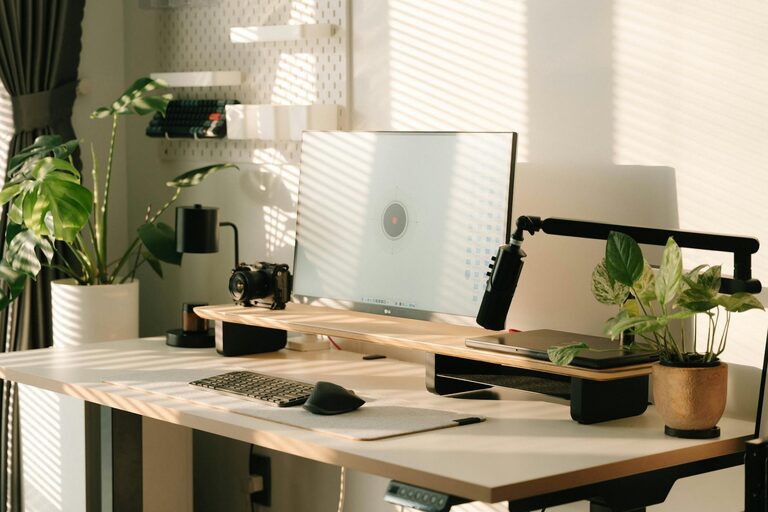
Tips for Creating a Cozy and Inviting Home Workspace
Creating a cozy and inviting home workspace can significantly improve…
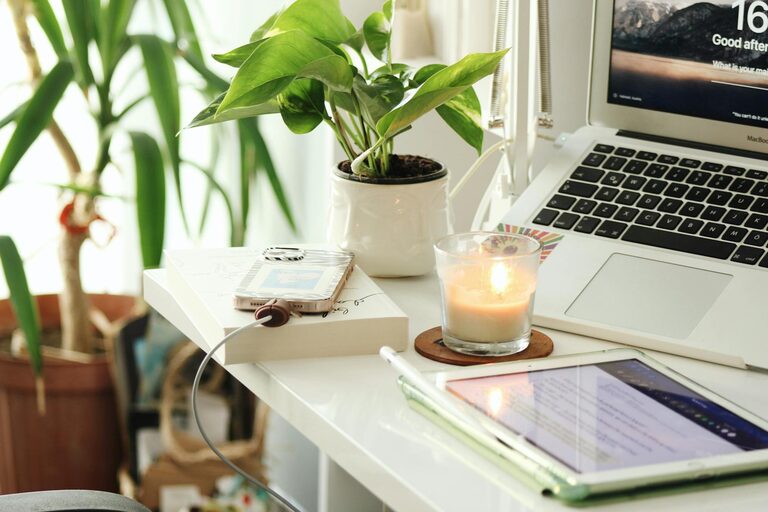
Tips for Creating a Cozy and Productive Home Office Space
Creating a cozy and productive home office is essential for…